
Monochrome (dark on light)
Navigation, sign-in, org JSON-LD logo, light surfaces, and email HTML headers. Primary stable wordmark path.
/branding/hienergy-logo-black.svg
slug: hienergy-logo-black.svg → hienergy_logo_black.svg
A living reference for the visual language of the app — typography, color, spacing, and components. A neo-brutalist / Memphis skin: thick black keylines, hard blur-less offset shadows, flat bright fills, and hard square corners. Buttons physically press on click. An ink-black primary anchors the system while punchy Memphis color carries status.
app/assets/stylesheets/shared/_design_tokens.scss; start with
Color and
Typography.render_search_input_row, the
Filter toolbar, and the
Data table density.
Ink black anchors structure — borders, nav, tabs, and focus.
Buttons use the marketing trio: lime primary,
pink outline hover, white neutral.
Semantic colors still carry badges, alerts, and charts inside thick
black keylines. Edit
app/assets/stylesheets/shared/_design_tokens.scss
and it cascades site-wide.
Montserrat everywhere. A modular type scale: page titles at 800,
section headings at 700, body at 400 with 1.6 line-height. Secondary
and caption copy floors at $ink-600 for legibility.
Monospace for code / kbd / pre.
Body — 1rem. The quick brown fox jumps over the lazy dog.
Lead — 1.0625rem. Intro copy under a page title.
Caption — 0.875rem. Helper text, tab descriptions, form hints.
Anchor example ·
Strong ·
Emphasized ·
inline-code ·
Cmd + K
def hello
  puts "Monospace: SFMono-Regular, Menlo, Monaco"
end
Stable, first-party URLs under /branding are served by
BrandingController and listed in
Branding::PublicAssets::SOURCE_BY_SLUG — the same
set the MCP get_hienergy_design_system_guide tool returns for emails and partners.
Pipeline images use Sprockets digests; the public web root has a few legacy and PWA files.
/branding/* (email-safe, no digest)Absolute URL on any environment: <%= request.base_url %> + path (or public_brand_asset_path(...) in views, Branding::PublicAssets.url_for in mailers/JSON-LD helpers).
Navigation, sign-in, org JSON-LD logo, light surfaces, and email HTML headers. Primary stable wordmark path.
/branding/hienergy-logo-black.svg
slug: hienergy-logo-black.svg → hienergy_logo_black.svg

Google Sheets IMAGE() banners and other raster-only surfaces that need the black wordmark. Same mark as the SVG; workbook/export use.
/branding/hienergy-logo-black.png
slug: hienergy-logo-black.png → hienergy_workbook_logo.png

Hero, footer, and dark or purple bands.
/branding/hienergy-logo-white.svg
slug: hienergy-logo-white.svg → hienergy-logo-white.svg

Google Sheets IMAGE() banners on dark headers and other raster-only dark surfaces.
/branding/hienergy-logo-white.png
slug: hienergy-logo-white.png → hienergy_logo_white.png
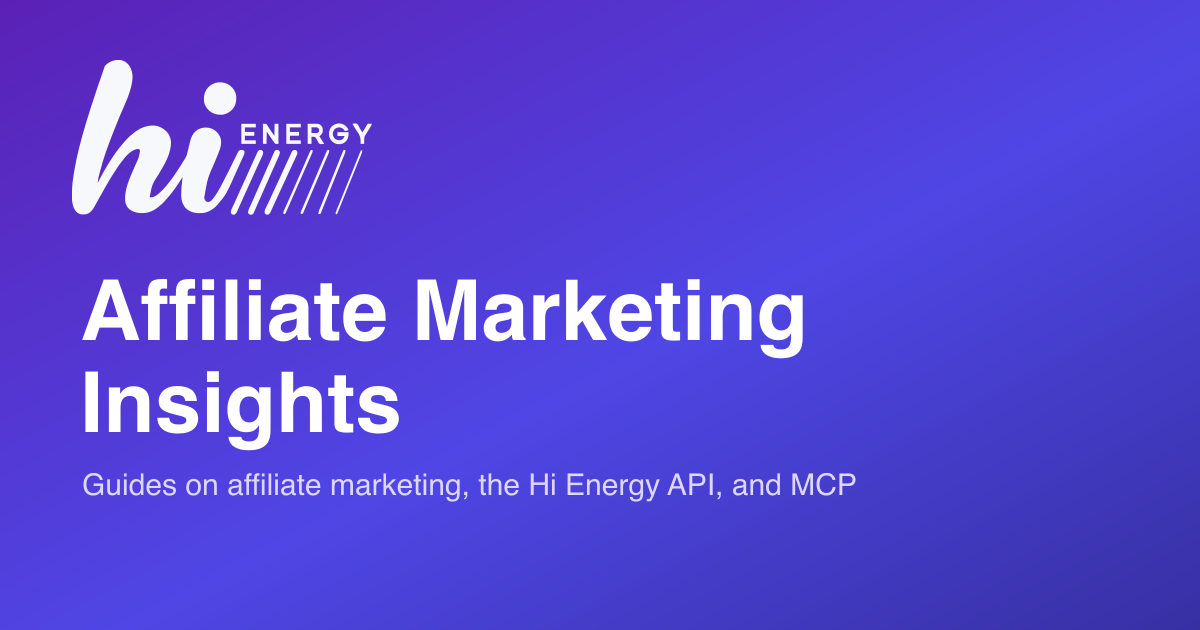
Open Graph / Twitter image for link previews on LinkedIn, Slack, and X. Raster PNG so unfurlers that reject SVG still render a preview.
/branding/hienergy-social-card.png
slug: hienergy-social-card.png → hienergy_social_card.png
Browser tab icon. Layouts use `favicon_link_tag` with the stable path via `public_brand_asset_path("favicon.ico")`.
slug: favicon.ico → hi.ico
app/assets/images (Sprockets)Use image_tag "…" or asset_path in the app. URLs include a digest in production — do not use in email HTML.

dex_avatar.png
Dex / MCP chat face (offcanvas, workspace, message bubbles)
helper: image_path("dex_avatar.png")
world.svg
World map and geographic chart primitives when bundled through the asset pipeline
helper: image_path("world.svg")
public/Served as-is; no Sprockets. Favicon handling should align with the branding section above for product UI.
| Path | Notes |
|---|---|
| /favicon.ico | Fallback favicon; prefer `/branding/favicon.ico` for consistency with the design system |
| /icon.svg | Generic icon asset in public (used where a root-relative icon is required) |
| /icon.png | Bitmap icon in public |
| /apple-touch-icon.png | Home-screen icon |
| /apple-touch-icon-precomposed.png | Legacy iOS precomposed touch icon |
Focused inputs get a near-black focus ring matching the accent.
Inline .alert callouts use the neo-brutalist keyline fill.
Session flashes always go through shared/flash_messages
(icon + title + body + dismiss). Keys:
notice/success,
alert/error/danger,
warning, info.
#fff surface, 2px $ink-900 keyline,
square corners, hard offset $box-shadow.
.card-header.bg-white keeps the header on-brand.
.border-0.shadow-sm for emphasis without an outline.
| Advertiser | Network | Status | EPC |
|---|---|---|---|
| Acme Running | Impact | Approved | $1.24 |
| Globex Fitness | Partnerize | Applied | $0.88 |
| Initech Outdoor | Pepperjam | Rejected | $0.12 |
| Umbrella Gear | CJ | Not applied | — |
$focus-ring-color is near-black at 25% so keyboard focus
carries the accent without drowning the UI.
Use shared/empty_state and shared/loading_state
anywhere a list, panel, or turbo frame can be empty or pending.
One voice, one visual rhythm.
Deals you create or import will appear here. Start by adding your first program.
Try a broader term or clear some filters.
Every top-level page starts with render "shared/page_header".
It ties breadcrumbs, avatar, title, subtitle, meta badges, and action
buttons into one rhythm. Pass an actions_extra slot for
dropdowns or custom chips.
The hairline KPI tile is the default metric pattern: quiet zinc dot,
uppercase kicker, dark count, muted meta. Used on
/changes, the publisher show page, and the advertiser
show page (via .kpi-card).
Status chips use the semantic fills (Approved / Applied / Rejected / Stopped). Neutral meta chips stay hairline.
.advertiser-chip
Status hue matches design-system badges:
Approved → Success, Applied → Warning, Rejected → Danger,
Stopped → Info, Not applied → Secondary.
Prefer status_badge / advertiser_status_badge
and transaction_status_badge — never hand-roll the classes.
Solid badge text-bg-* fills used by status_badge.
.filter-summary + .filter-chip.network-pillshared/_advertiser_list_identity
Pass show_logo: false (default is true) when a row already shows a large logo
nearby — for example the Advertiser column on
All Deals — so the name and meta lines are not repeated twice with art.
With logo (default)

Text only (show_logo: false)
Ink-black header, pale-blue zebra rows, airy cell padding, bold lead
column, and an optional totals row. Cell notes use
.network-pill (ink) or .network-pill--lime.
Prefer table data-table inside a bordered surface
(shared/surface_panel or .ds-card).
| Network | Window | Transactions | Corrections | Rate |
|---|---|---|---|---|
| CJ |
Jan 1 – Jul 15
Feb–Apr sync gap
|
412,884 | 4,912 | 1.19% |
| Awin |
Jan 1 – Jul 15
monitoring since Jun
|
288,410 | 1,104 | 0.38% |
| Impact |
Jan 1 – Jul 15
|
196,022 | 640 | 0.33% |
| Partnerize |
Jan 1 – Jul 15
|
94,118 | 210 | 0.22% |
| Program total | 2026 YTD | 991,434 | 6,866 | 0.69% |
One pattern: .input-group with form-control border-end-0,
optional clear + Stimulus search, and a single
btn-outline-primary search button
(bi-search + visually-hidden label). Prefer
render_search_input_row (SearchFormHelper; variants
:full / :compact) → shared/search_input_row.
Admin lists use shared/search_filter_bar; tight spots use
search-form-navbar. Do not use input-group-text with a magnifier icon.
Stimulus targets for omnibox/autocomplete are declared on the field; the row matches the same visual chrome.
searchable_select_controller on a native form-select (or form-select-sm in dropdowns);
panel styling matches filter-dropdown-menu. Toolbars: Filter combobox +
admin/advertisers/single_filter_select. Tags: tag_autocomplete + shared/tag_search.
Single-line search + selects + actions via filter-toolbar--inline
(scrolls horizontally on narrow viewports). List pages on
/changes, public deal lists, and similar screens.
Single-value filter rows (admin index pages, deals#index, etc.) use
admin/advertisers/single_filter_select: a field-shaped trigger
(filter-combobox / filter-combobox__toggle) and a
filter-dropdown-menu panel with search. Styles live in
app/assets/stylesheets/components/_filter_combobox.scss. For a
combobox not inside a filter bar, see
Searchable combobox (Stimulus).
Sample Deals (and similar lists): white
rounded-3 card, filter-stacking-context so comboboxes stack above the table,
filter-toolbar--compact / --nested, single_filter_select in a
row, min-w-0 on the search group, and
clear_filters_link (with turbo_frame when the form targets a frame). Language toggles can use
filter-toolbar__lang-scroll for horizontal scroll on small screens.
A quiet pill-shaped toggle for mutually exclusive views (e.g. "All / People / List emails" on the contacts tab). Use when the options are short and switching is expected to be frequent; prefer tabs for larger sections.
Dense list rhythm for people rows: avatar + name, role · company subtitle, email/phone meta line, and an optional rating capsule. Rows hairline-divide and tint on hover. Used on the advertiser "Contacts" tab.
Every tabbed surface in the app uses one universal system:
render_tabs for the nav + content shell, and
tab_header at the top of every pane body. Navigation
renders as neo-brutalist pills — rounded capsules with a black active
fill and pink hover — not connected underline tabs. Surfaces use 2px
ink borders and hard offset shadows; index tiles and panels should not
stack border-0, shadow-sm, or
hover-shadow on top of the global card chrome.
Short helper line under the title. Keep it to a single sentence.
Tab bodies should start with tab_header and then render
their actual content — tables, charts, forms, whatever is needed.
Performance metrics over time.
The nav can show a trailing badge: count, and
each button supports a tooltip: for longer
descriptions.
Audit log of changes.
Conditionally rendered tabs should use hidden: !condition
on t.pane — never wrap the call in an
if block.
render_tabs + tab_header<%= render_tabs(id: "advertiserTabs",
data: { controller: "tab-url" }) do |t| %>
<% t.pane "overview",
title: "Overview",
icon: "bi-info-circle",
active: true,
url_hash: "overview" do %>
<%= tab_header title: "Overview",
icon: "bi-info-circle",
description: "Details and attributes." %>
<%# ...pane body... %>
<% end %>
<% t.pane "stats",
title: "Statistics",
icon: "bi-bar-chart",
hidden: !@has_stats,
url_hash: "stats" do %>
<%= tab_header title: "Statistics",
icon: "bi-bar-chart",
description: "Performance metrics over time." do %>
<%= render "shared/export_to_sheets_button", resource: "advertisers" %>
<% end %>
<%# ...pane body... %>
<% end %>
<% end %>
Production chart controllers import their palettes from
app/javascript/lib/chart_design_tokens.js as the single source of truth.
The reference swatches below mirror those tokens.
Series colors come from CATEGORICAL_10: flat, saturated fills anchored
by brand ink, in the same register as the lime/pink Memphis accents. Grids stay
whisper-quiet zinc; tooltips get the hard 2px ink keyline. All demos below render
from static sample data.
CATEGORICAL_10 in series order. Neighboring hues always contrast, so
stacked and grouped charts stay legible; the trailing zinc is the long-tail bucket.
transaction-line-chart — LINE_DUO_CHART_STYLES.
Sales in brand ink, commissions in mint. Used on the home Overview tab.
transaction-totals-chart (sales) — DEFAULT_D3_CHART_STYLES, ink fill.
transaction-totals-chart (commission) — mint fill via barFillForType.
transactions-charts — one point per transaction; bubble size is commission.
commission-chart — commission rate over time.
commission-rates — daily rate distribution (min/quartile/median) over the last 30 days.
kpi-line-chart — current period in ink, previous period dashed zinc.
Powers the Performance Summary KPI cards.
pie-chart — PIE_CHART_COLORS: mint / cyan / coral / lime map
to approved / applied / rejected / stopped, matching the badge semantics.
transaction-status-daily-chart (daily variant) —
TRANSACTION_STATUS_CHART_COLORS: zinc pending, mint approved, ink paid, coral corrected.
Donut variant of the same controller (variant: "donut").
status-changes-yearly-stacked-histogram — stacked daily bars of advertiser
status changes, colored by PIE_CHART_COLORS.
admin-publisher-daily-transaction-chart — CATEGORICAL_10 series
with a sales / transactions metric toggle.
publisher-network-transaction-chart — the publisher-facing sibling, stacked by network.
publisher-network-yearly-stacked-histogram — sales / commissions toggle;
total swaps via [data-period-total].
Demo total: $3,924
network-transaction-chart — network × month grouped bars, CATEGORICAL_10.
bubble-chart — category share; bubble area encodes count.
treemap — commission by advertiser, tinted by the mint/coral
diverging ramp (CHART.treemap.diverge) for period-over-period change.
publisher-network-transaction-treemap — network share with a
sales / transactions toggle and ink choropleth ramp.
contacts-source-status-chart — CONTACT_STATUS_CHART_COLORS:
mint valid, lime catch-all, coral abuse, ink-600 unknown.
world-map — ink highlight on zinc landmass (CHART.map).
Fetches TopoJSON from the world-atlas CDN, so it needs network access to paint.
Three chart controllers load their data over HTTP instead of inline values, so they are documented here without a live demo:
clicks-bar-chart — daily clicks bars; fetches JSON from a url value with period buttons (see the admin advertiser Clicks tab).transaction-line-chart-combined — sales + commission duo lines behind a skeleton loader with a weeks selector.api-call-usage-chart — API usage bars, DEFAULT_D3_CHART_STYLES.